Introduction
Welcome to the Supermemory API documentation. This documentation will help you understand how to use our API to integrate with Supermemory’s powerful features.
Getting Started
To use the Supermemory API, you’ll need:
- An API key (get one by signing up at supermemory.ai)
- Basic understanding of REST APIs
- A tool to make HTTP requests (like curl, Postman, or your favorite programming language)
Getting Your API Key
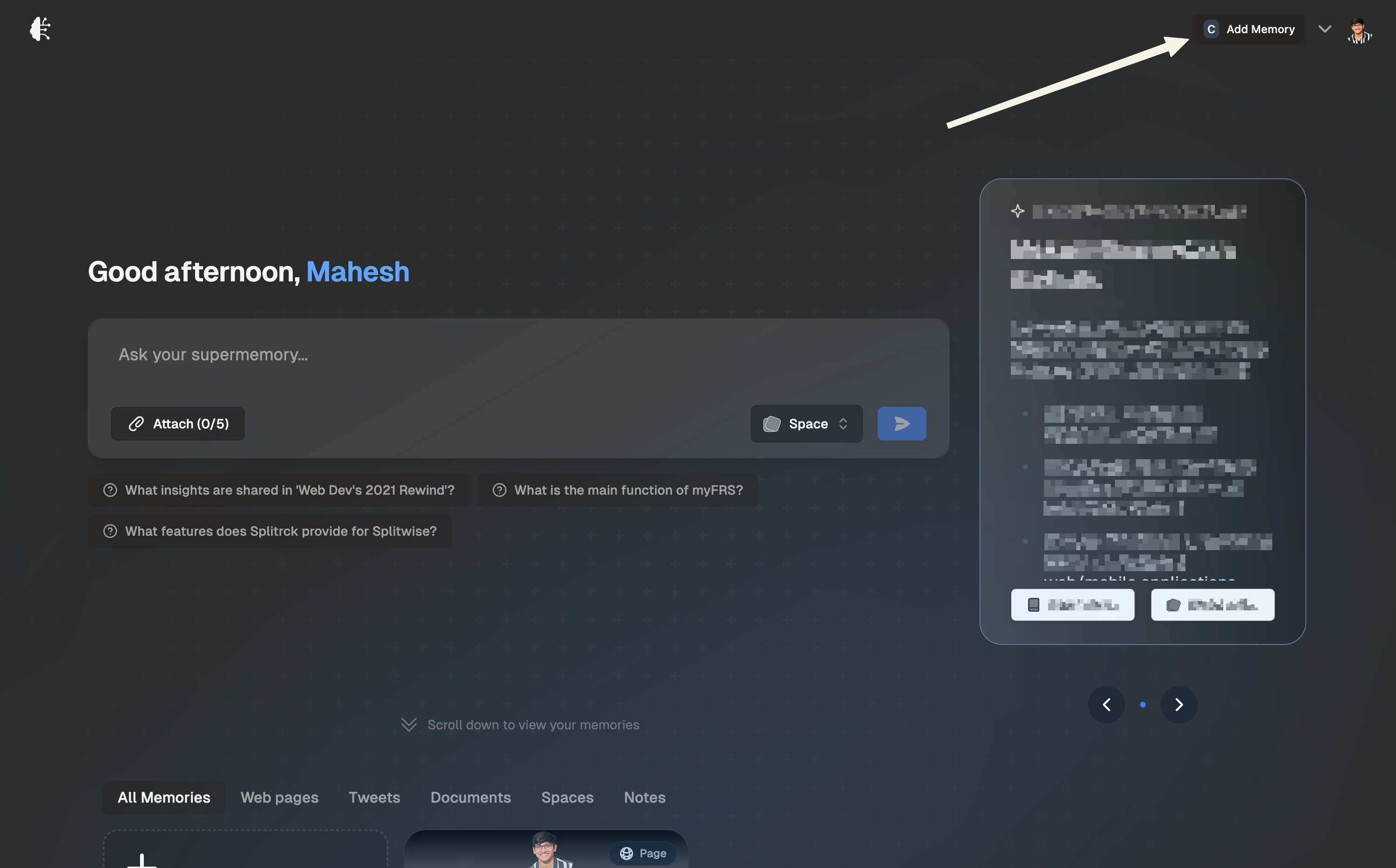
- Login into supermemory.ai and click on the “Add Memory” button
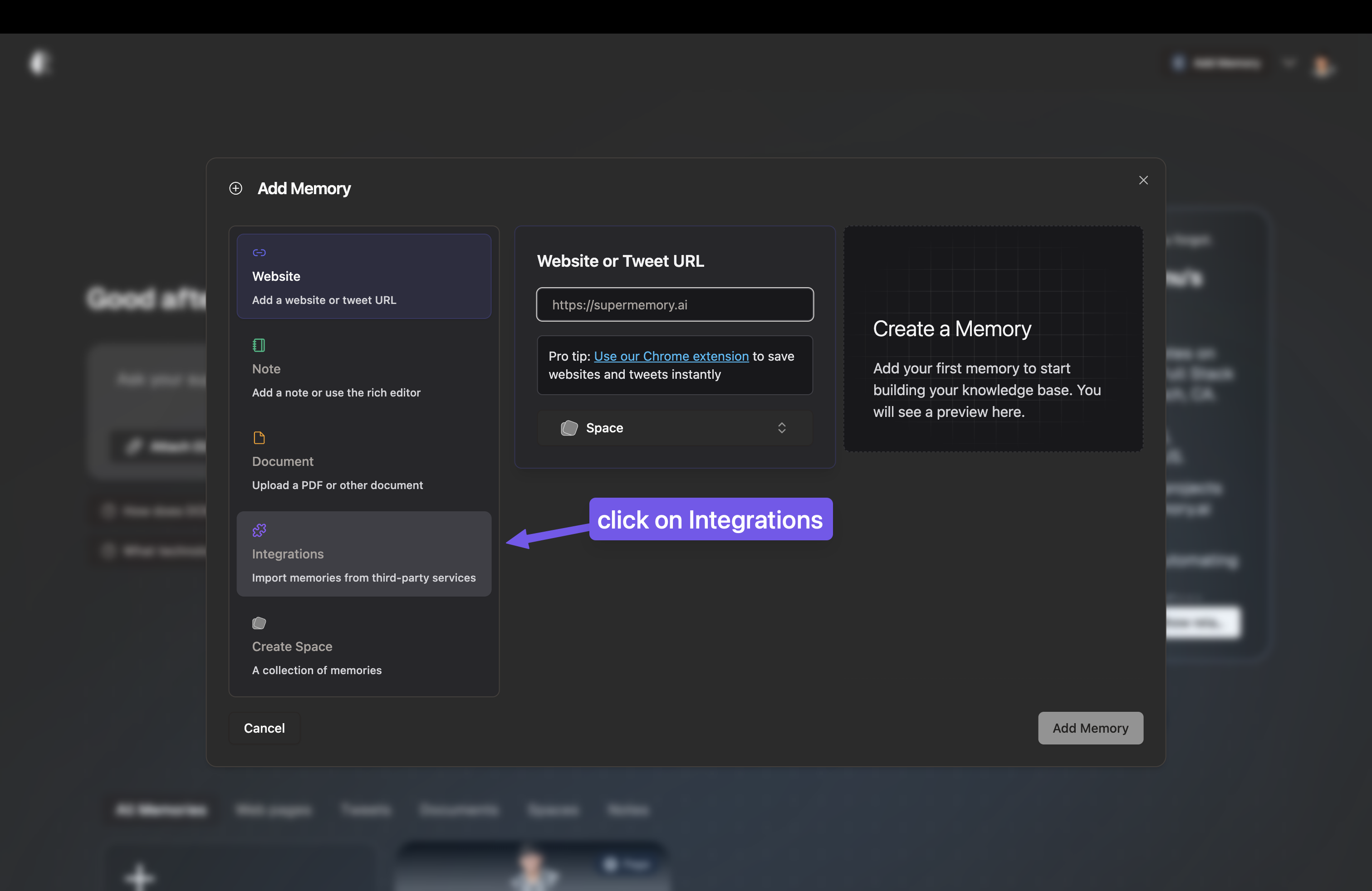
- Click on “Integrations” in the navigation menu
- You’ll see your API key, you can copy it by clicking on the copy button
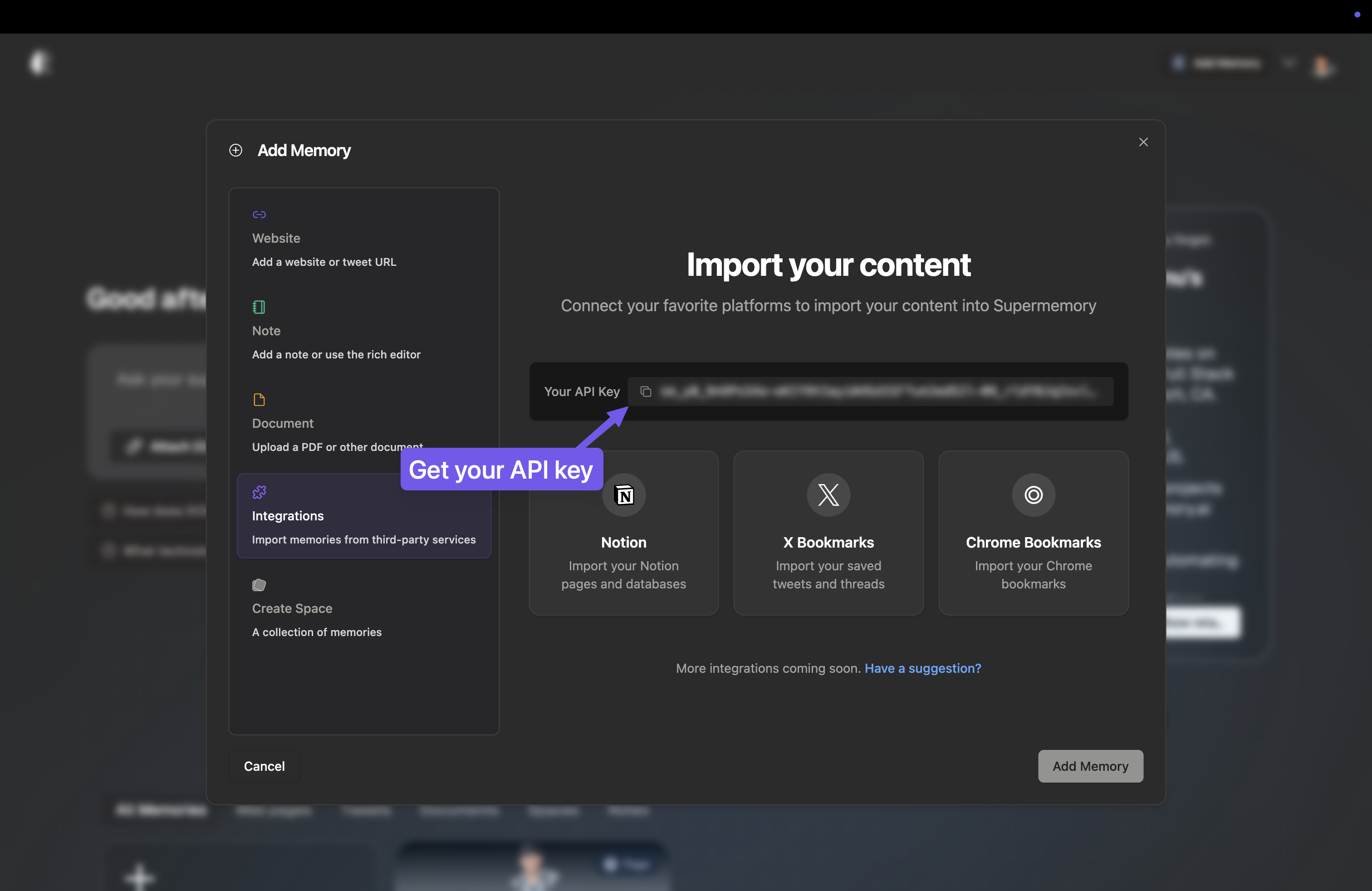
Keep your API key secure and never share it publicly. You’ll need this key for authenticating all API requests.
Base URL
All API requests should be made to:
https://api.supermemory.ai/apiAuthentication
All API requests require authentication using a Bearer token:
Authorization: Bearer YOUR_API_KEYAvailable Features
Our API provides endpoints for:
Content Management
- Adding new content to your memory
- Retrieving your saved memories
- Managing content organization
Chat
- Interactive AI chat with context from your memories
- Thread management for ongoing conversations
- Rich content support including text, images, and files
Need Help?
If you need assistance, you can:
- Check our API Reference for detailed endpoint documentation
- Contact us at support@supermemory.ai
- Follow us on Twitter for updates